

Loyalty
A QR code customers scan to sign up for your text updates, a list of who opted in, regulars counted from Square, and win-back texts only to people who said yes.
Loyalty is your text list. Customers scan a QR code at your window, type their phone number and agree to get texts from your brand. You can then text your regulars, or the ones who have not been back in a while, knowing every person on the list asked to hear from you. It is not a points program.
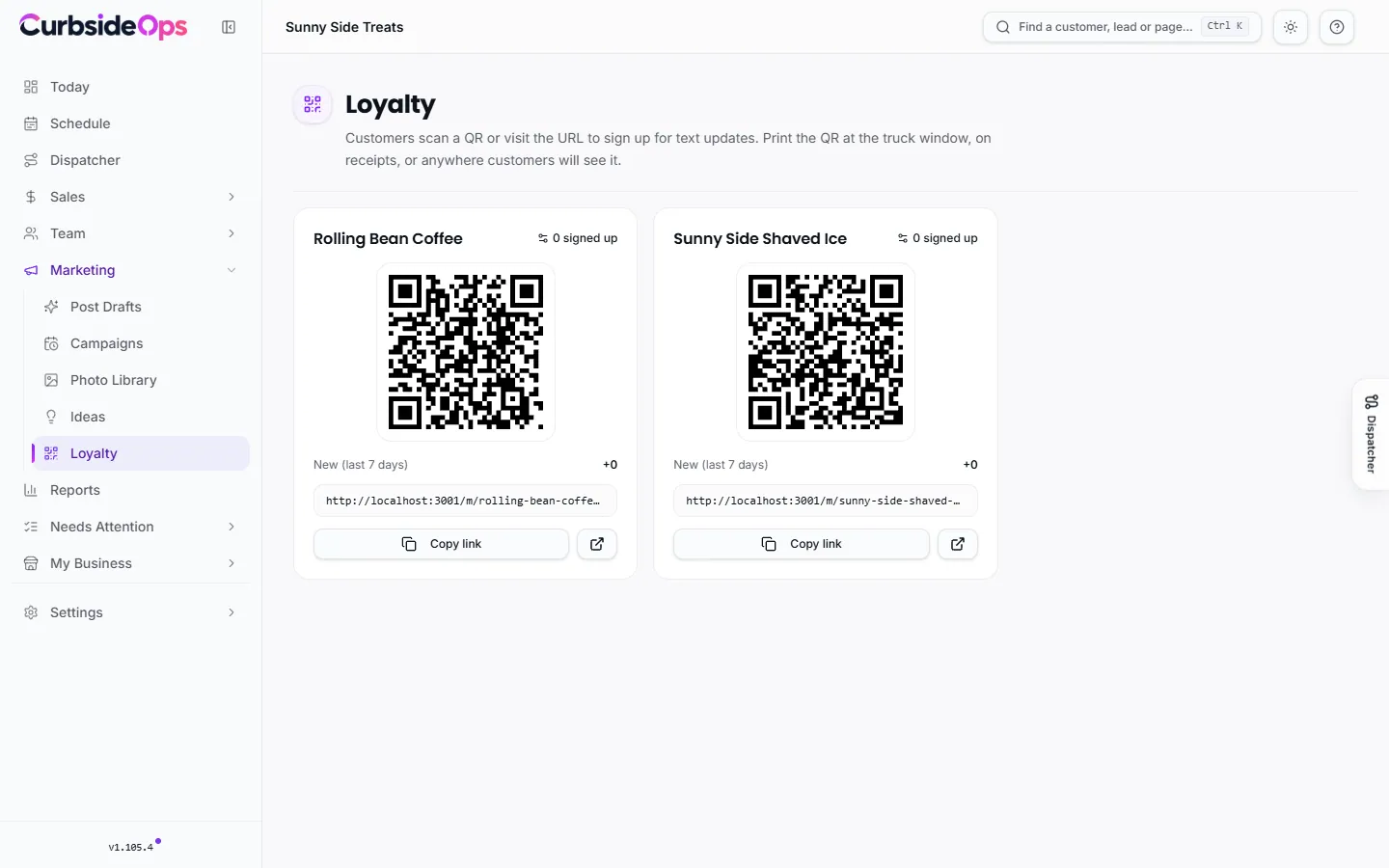
Your sign-up QR code
Open Loyalty under Marketing. Each brand has a card with:
- Its QR code, ready to print at the truck window, on receipts or on a table sign.
- How many people signed up, how many are New (last 7 days), and how many Opted out.
- The sign-up link, with Copy link to share it anywhere.
A brand needs a public page before it can take sign-ups. If its card says there is nowhere to point, publish the brand first.
What customers see
The QR opens a page with your brand's name, color and logo. The customer types their phone number, ticks the box agreeing to receive texts, and submits. If you have Quo connected, they get a welcome text from your brand's number that says they can reply STOP at any time.
Anyone can text STOP (or UNSUBSCRIBE, CANCEL, END or QUIT) to stop, and START to sign up again. CurbsideOps honors these from any text they send you.
Your subscriber list
Click a brand's signed up count to see its subscribers, filtered by Active, Opted out or All. Phone numbers show only the last four digits until you click to reveal one. Each row shows the person's last visit when CurbsideOps knows it.
- Opt out stops texts to that person and keeps the record of their consent, in case you are ever asked to show it.
- Delete row removes the person and their consent record completely. Use it only for test entries.
Regulars from Square (Professional)
The Regulars (Square sync) automation looks at each night's Square payments and links each one to a customer in your records, so CurbsideOps knows who comes back and how often. Payments with no customer attached in Square, such as anonymous walk-ups, are skipped.
Customers are matched by email address. Someone who signed up with the QR code gave you only a phone number, so their visits are counted only once their customer record also has the email Square knows for them.
Winning back lapsed regulars (Professional)
The Lapsed Regulars Nudge automation checks each Monday morning for customers who have visited at least twice, have opted in to texts, and have not been back for a while (you choose how long). When enough of them are found, you get a Telegram heads-up with buttons to act on it. It never texts anyone by itself: you decide.
Sending a text to your list
Ask your Telegram assistant, for example "text my regulars that we are at the park Saturday". You can text:
- Everyone who opted in for a brand.
- Your regulars: opted in, with two or more visits in the last 30 days.
- Lapsed regulars: opted in, two or more visits, and none in the last 60 days.
The assistant shows you the message and who it goes to, and sends only after you confirm. Only customers who opted in and have not opted out ever get one of these texts, and a single send is limited to 200 people. Texts go out through Quo from the brand's number.
Only people who said yes
Marketing texts go only to customers who opted in, for example on your sign-up page or by texting START. Being a customer, a lead or a past booking does not put someone on the list.
Still stuck? Email support@curbsideops.com or use Report an Issue in the portal. Checked against CurbsideOps 1.105.4.