

Plan and billing
Your plan, how trucks and add-ons are billed, changing plans, your card and invoices, and what happens when a trial ends.
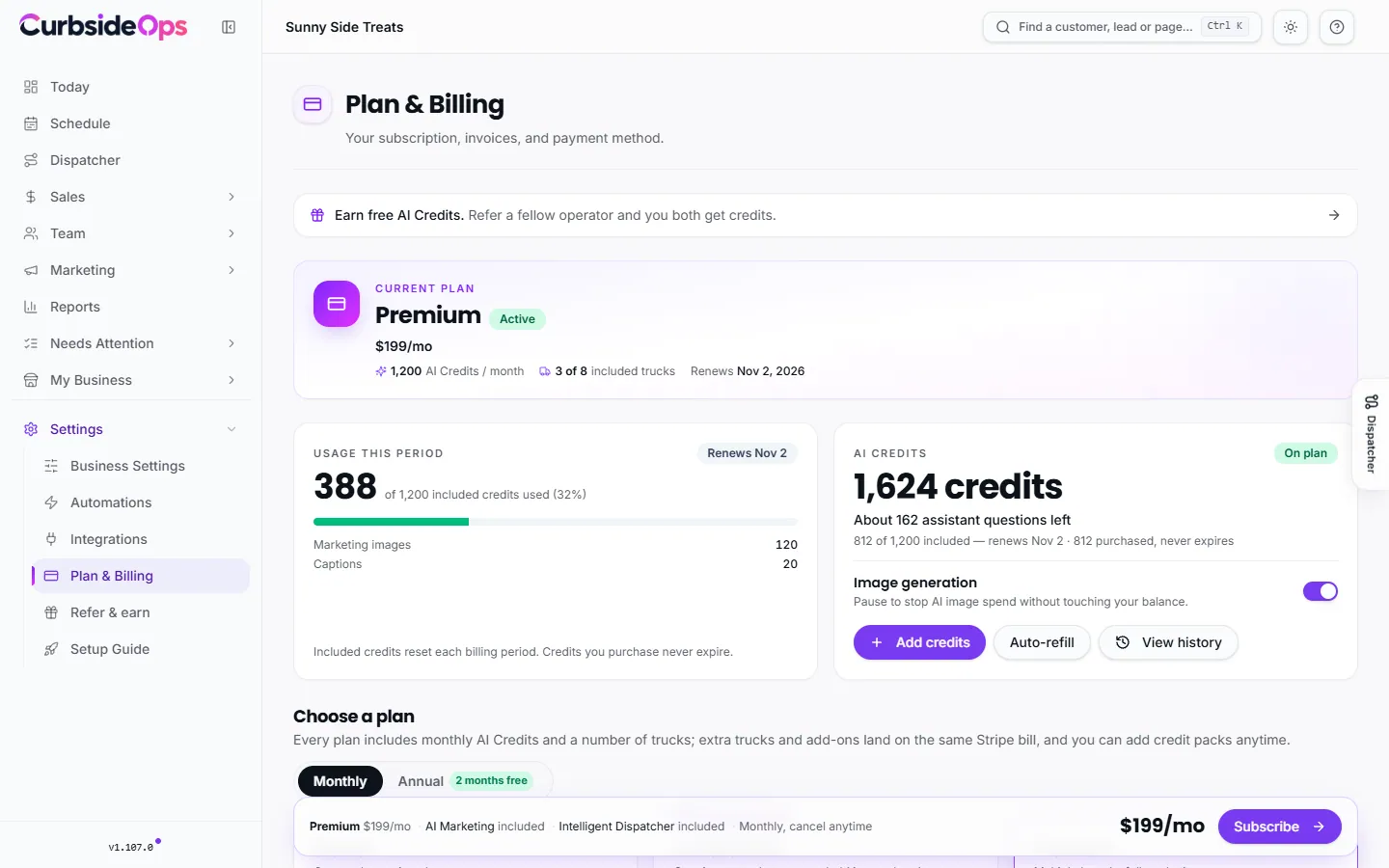
Plan & Billing shows your plan, what you pay, and the add-ons you hold. It is also where you choose a plan after your trial, change plans as your fleet grows, and open your invoices.
The plans
| Starter | Professional | Premium | |
|---|---|---|---|
| Price | $49/mo | $99/mo | $199/mo |
| Trucks included | 1 | 3 | 8 |
| More trucks | Upgrade to add | $29/mo each | $24, then $20, then $15 per truck by volume |
| Brands | 1 | Unlimited | Unlimited |
| Staff | 3 | Unlimited | Unlimited |
| AI Credits per month | 300 | 600 | 1,200 |
| Extra credits per additional truck | None | +100 | +100 |
On Premium, trucks 9 to 20 are $24 each, trucks 21 to 50 are $20 each, and every truck after 50 is $15. Paying annually costs ten months' price for twelve (two months free). These are the standard prices; curbsideops.com/pricing always shows the current ones. Larger fleets that need a services agreement can contact us about Enterprise.
What each plan unlocks is shown with a badge at the top of every help article and in the comparison on the Plan & Billing page.
Trucks are billed, not capped
Above Starter, you can add as many trucks as you need. Your plan covers its included trucks, and each active truck beyond that adds its per-truck price to the same monthly bill. Deactivating a truck on the Trucks page takes it off the bill; reactivating it puts it back. Starter covers one truck: to run a second, upgrade to Professional. See Trucks.
Add-ons
| Add-on | Price | Can be added on | Included in |
|---|---|---|---|
| AI Marketing | $39/mo | Any plan | Premium |
| Intelligent Dispatcher | $79/mo | Professional and up | Premium |
Each add-on has its own card on Plan & Billing with Add for $39/mo or Add for $79/mo, or Remove add-on if you have it. On Premium they are already included. A paid add-on also adds 200 AI Credits a month.
Choose or change your plan
Pick the plan
Under Choose a plan (or Change your plan if you already subscribe), pick a plan, monthly or annual, and any add-ons.
Confirm
New subscribers check out with Stripe. Existing subscribers see exactly when the change takes effect and confirm.
- Upgrades take effect immediately. You pay only the prorated difference for the rest of the period, added to your next invoice.
- Downgrades start at the end of the period you have already paid for. There is no refund, and you keep your current plan until then. You can cancel a scheduled downgrade before it starts.
- An add-on your new plan cannot hold is dropped when you downgrade. For example, the Intelligent Dispatcher requires Professional, so it does not carry over to Starter.
Card and invoices
Press Manage billing to open Stripe's billing page, where you update your card, download invoices and cancel. Your plan, extra trucks and add-ons are all on one Stripe bill. The card you save for AI Credit auto-refill is separate; see AI Credits.
Trials
New accounts start with a 14-day Premium trial, with the days left shown in the portal. Pick a plan any time; trial days carry into your subscription.
When a trial ends without a plan
Nothing is deleted. Your account becomes read-only: your events, customers, staff, brands, trucks, reports and drafts stay viewable, but the assistant, automations, image generation and edits pause. Choose a plan and everything switches back on where you left off.
Your crew is never told about billing. If the account is paused, the assistant gives them a neutral "unavailable" reply.
Still stuck? Email support@curbsideops.com or use Report an Issue in the portal. Checked against CurbsideOps 1.105.4.