

Certifications
Track food handler cards, manager certificates, licenses and other credentials for each crew member, with a reminder before each one lapses.
An expired food handler card can cost you an inspection. Certifications keeps every crew member's credentials in one place with their expiry dates, shows what is coming due across the team, and sends you a Telegram reminder before anything lapses.
What you can track
Each certification has a type:
- Food Handler permit
- Food Manager (ServSafe)
- Driver's license
- Alcohol service (TABC)
- Other, which you name yourself (a fire safety course, a city vendor badge)
Adding a certification
Open the person's profile
On Roster, click the crew member and switch to the Certifications tab.
Add it
Click Add certification. Pick the Type (and give it a Name if you chose Other), then enter the License / permit number, Issued on, Expires on and any Notes. The expiry date is required.
Save
Click Add. The certification shows a badge with how long until it expires.
Renewals keep the history
When someone renews, use the renewal button on the row (the circular arrows, Add renewal) instead of editing the old record. It starts a new record with the type and number filled in and the dates blank, so you keep a history of every certificate the person has held. Use Edit (the pencil) only to fix a typo or a wrong date, and Remove for a record added by mistake.
Certifications your crew sends in
Crew members can add their own certifications from their crew portal. These show at the top of the tab under Submitted from the staff portal and do not count until you check them. Click Approve or Reject.
The team view
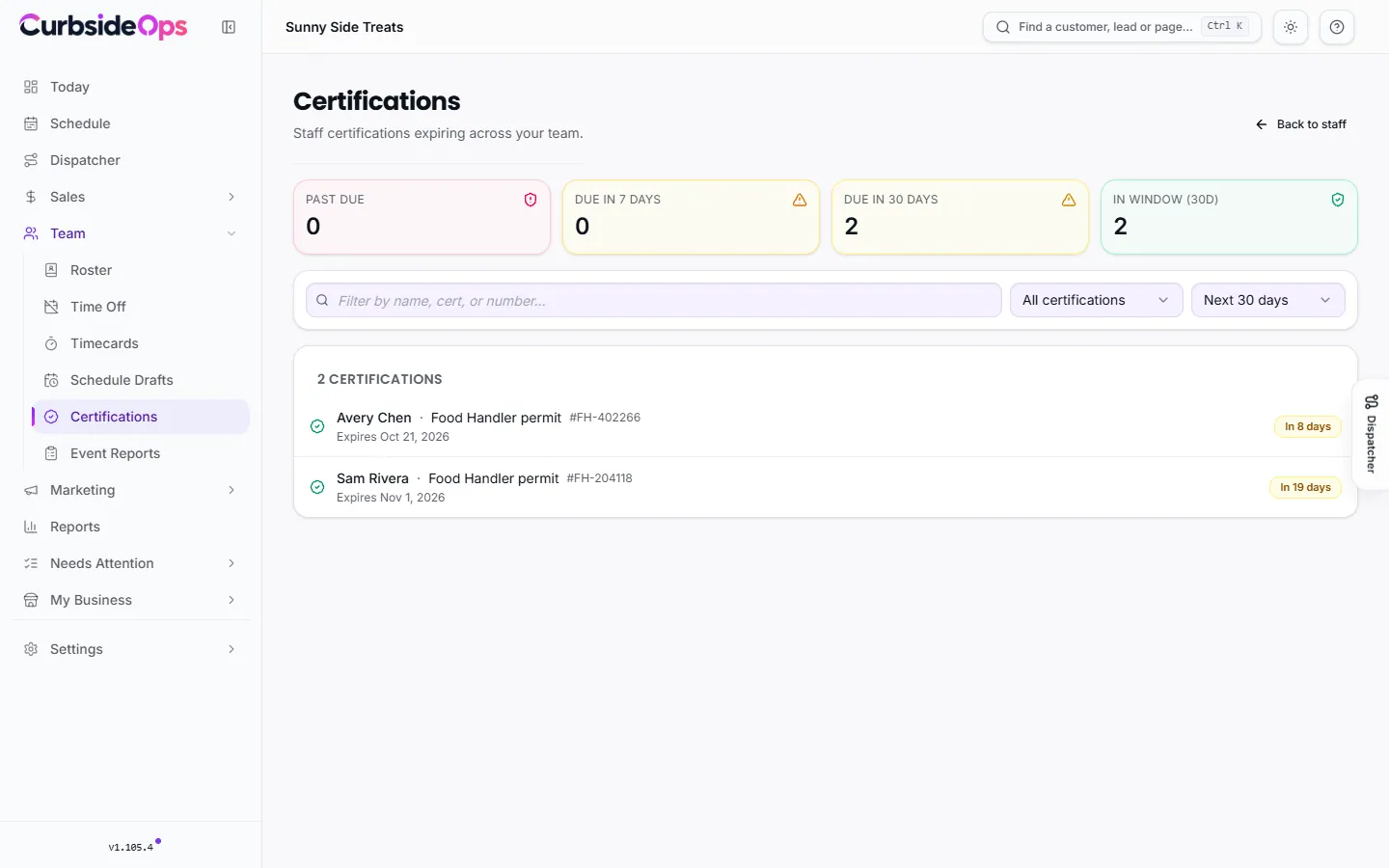
Certifications under Team shows every credential expiring across your crew:
- Counts for Past due, Due in 7 days, Due in 30 days and everything in the window you picked.
- A window from Next 30 days to Next year, a filter by type, and a search by name, certification or number.
Each row says plainly how it stands, such as Expires today or how many days past due it is.
Reminders before anything lapses
The Staff Certification Alerts automation (on by default) sends you a Telegram message when a certification is 30, 14 or 7 days from expiring, and again once it is past due. Only you get these, not the crew member. You can change the time it sends in Automations.
Truck and business permits live elsewhere
Certifications are for people. Health permits, fire inspections and other permits for your trucks and business are tracked on the Permits page.
Still stuck? Email support@curbsideops.com or use Report an Issue in the portal. Checked against CurbsideOps 1.105.4.